Handwriting to OCR for handwritten pages
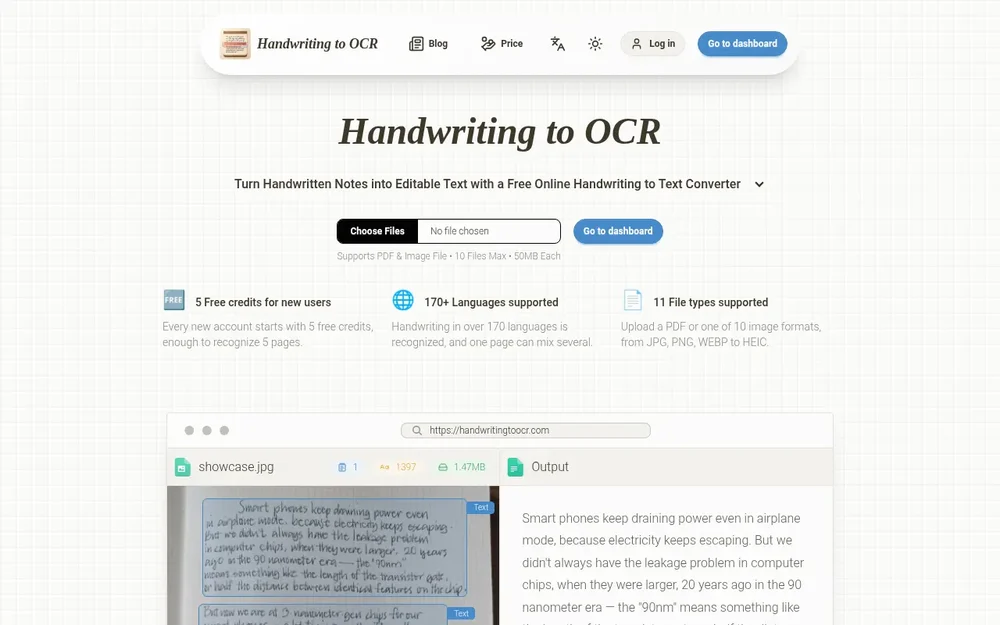
Handwriting to OCR is a browser-based handwriting recognition service for turning handwritten notes and scanned pages into editable text. Upload a phone photo, image, or PDF, let the service process it, then review the recognized content beside the original before exporting. The workflow can suit people digitizing lecture notes, whiteboard writing, journals, letters, forms, or other handwritten material they want to edit or keep in a digital archive. It also recognizes printed text on pages that include handwriting, such as annotations or marginal notes.
The product is designed to recognize more than clean, carefully formed writing: the page describes support for cursive, hurried notes, and shorthand. Its result can include text, tables, equations, images, and page structure rather than only a continuous block of plain text. Recognition is not a substitute for checking the source, however. The site notes that accuracy depends on handwriting clarity and photo or scan quality, and provides a side-by-side view to help users compare the output with the page.
Handwriting recognition beyond plain words
A useful distinction is that the output is intended to retain meaningful structure where the page contains it. Titles, headings, lists, numbered items, and quotations can remain separate blocks; the Markdown export preserves hierarchy, and DOCX carries headings into the document. Headers and footers are also listed among the structures recognized. This can make the result easier to navigate than text copied from a page as undifferentiated lines.
Tables are recognized row by row and column by column, so schedules, grids, and forms can remain tabular in the result. The service also recognizes handwritten mathematical notation, including fractions, exponents, and square roots, and renders equations as formatted math. Logos, sketches, diagrams, and illustrations may be extracted as images: they are saved separately with Markdown and embedded in DOCX. These capabilities make the OCR handwriting workflow relevant to mixed-content pages, although users should still inspect the converted file for details that need correction.
From upload to reviewed text
The basic process has three stages: upload, processing, and review. Start with a photo, scan, or PDF of the material. The site accepts PDFs and image formats including JPG, JPEG, PNG, AVIF, TIFF, GIF, HEIC, HEIF, BMP, and WEBP. Each file can be up to 50 MB, with up to 10 files submitted at a time. The service works in a browser on a computer or phone, so there is no application to install according to the product page.
After upload, the recognition process reads the handwriting and page elements. The page says most files finish in 10 seconds to one minute, depending on file size and length. When processing is complete, compare the recognized text with the original in the side-by-side view. On desktop, highlighted blocks indicate recognized text and images, helping locate the corresponding content on the page. Review is especially worthwhile for difficult writing, low-quality images, or information where exact wording matters. Then choose an export format for editing, sharing, or storage.
Handwriting to OCR offers Markdown, DOCX, and PDF exports. Markdown provides editable text for a text editor or note app; images from the original page are saved as separate files. DOCX is suited to further editing in Word, with extracted images embedded in the document. These options can be useful when the goal is to reuse notes, revise a document, or preserve text together with illustrations.
For a closer visual arrangement, the site describes a Print layout that mirrors the placement of text blocks on the original page. Exporting from that layout as PDF keeps the page arrangement. The export choice therefore depends on what matters most: editable text and portable image files, an editable Word document with embedded images, or a PDF that follows the selected print layout. The page says the PDF export opens the browser’s print dialog, where users can choose Save as PDF. Checking layout and equations in the final output is a sensible part of the workflow.
Languages and practical uses
The service supports handwriting recognition in over 170 languages, and a single page can mix languages. The listed examples include English, French, German, Spanish, Portuguese, Italian, Polish, Russian, Arabic, Chinese, Japanese, Vietnamese, and Thai. This can help when a document switches languages within the same page, rather than requiring separate processing by language. The language count and mixed-language support are product claims; the source material does not promise identical results for every script or handwriting style.
The site suggests a range of practical uses. Students can digitize lecture notes or whiteboard photos and export the result for editing. Office teams can convert meeting notes, schedules, or tables into documents. Journalists may use it for interview shorthand, while families can digitize letters, diaries, and recipes. These are examples of material to process, not guaranteed outcomes: the original quality and legibility still matter. A good starting point is to select a page that is clear enough to review, then choose an export suited to how the text will be reused.
Fit, file limits, and getting started
Handwriting to OCR is most relevant when the source is a handwritten or mixed print-and-handwriting page and the desired result is editable text with some of the original structure retained. It can also be considered for tables, handwritten math, and pages with images. If visual fidelity matters, use the described Print layout and PDF export; if later editing matters more, Markdown or DOCX may be a better fit. Since recognition quality depends on the original writing and image, plan time to compare and correct the extracted content rather than treating it as a verified transcription.
New users receive five free credits, with one credit representing one page of OCR. The page describes additional use as pay-as-you-go, with no monthly subscription. File limits are 50 MB per file and 10 files per upload. These details help set expectations before starting: choose a supported image or PDF, keep within the upload limits, review the recognition against its source, and export in the format that suits the next task. That makes the service a practical option for converting handwritten pages into text while keeping review in the user’s workflow.