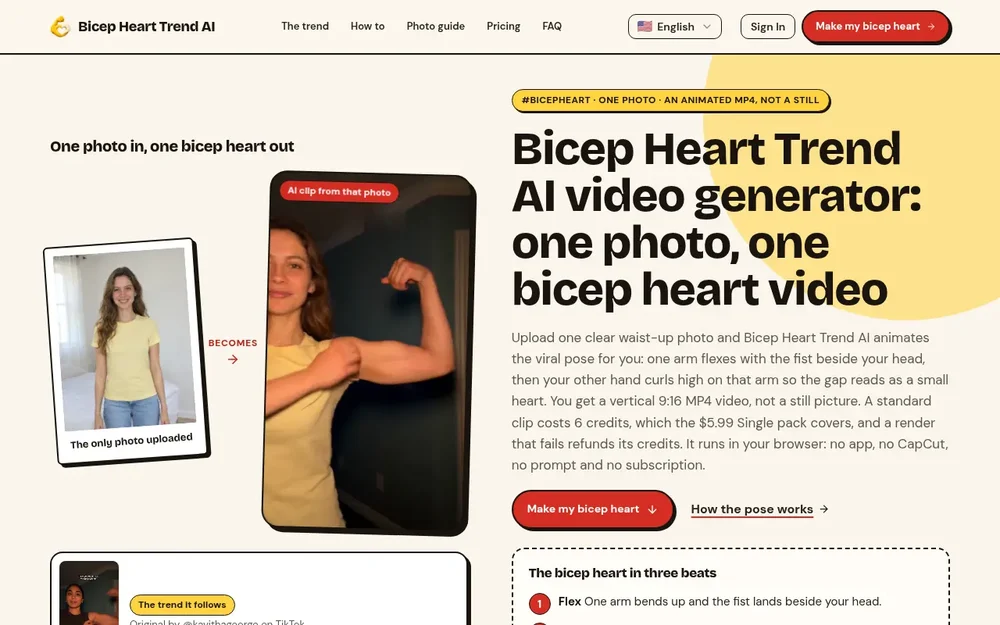
Bicep Heart Trend AI video generator
Bicep Heart Trend AI turns one photo of an adult into a short video of the bicep heart pose. Instead of filming the movement or assembling a template, you upload a clear waist-up image and the generator animates a flex, a curled hand, and a brief hold. The result is a vertical 9:16 MP4, not a still image. The pose is built into the tool, so there is no written prompt, reference video, or second photo to provide. It runs in a phone or desktop browser, with no app installation required. This makes it a focused option for someone who has a suitable photo and wants to create a clip for a social post. The service is independent and is not an official TikTok effect. Its purpose is narrow: make this one-person trend pose from a single image, with the price and selected video quality shown before rendering.
How the bicep heart pose works
The bicep heart is made with one person and one flexed arm. One fist rises beside the head, while the opposite hand reaches across and curls high on the upper arm, just below the fist. The small heart is the gap formed by the curled fingers and the bicep; it is not an added sticker or emoji. In the generated clip, the movement is presented in stages: the arm flexes, the other hand bends into position, and the pose holds for a moment. This is distinct from making a heart with both arms overhead or with another person. Knowing the pose helps set expectations for the output and gives you a useful way to review it. In particular, check that the curled hand sits high enough for the space between the fingers and arm to read as a heart, and that the movement remains recognizable through the hold.
Choose and prepare a suitable photo
The input is one sharp photo of one adult, with both arms and hands visible. You do not need to be flexing in the original image; the generator adds the pose. A front-facing, waist-up composition with room above the head gives the raised fist space in frame. The site accepts JPG, PNG, and WebP files up to 10 MB, with a minimum size of 300 by 300 pixels. It recommends even lighting, a visible face, and avoiding sunglasses or heavy filters. Short sleeves or bare arms can make the arm outline easier to see, while loose sleeves and bulky jackets may obscure it during animation. Make sure elbows, wrists, and hands are not cropped or covered. The service is intended for one adult per clip, not pets or two-person scenes. You must confirm that the person shown agreed to the upload, is at least 18, and is not a famous or public person. Only upload a photo you have the right to use.
From photo to vertical MP4
A practical workflow is to choose the photo first, inspect the framing, then select a resolution and sound option. The site displays the credit total and price for the selected settings before generation. After starting a render, the job runs in the background and is saved to My Creations, so you can return to it after closing the tab. Once it is ready, watch the full clip before sharing: pay particular attention to the fingers, elbow, face, and the shape of the heart gap. The page notes that fingers can blur, merge with the arm, or land too low, and no setting guarantees perfect hands. A sharper photo with visible arms may help, but the generated result still merits review. The downloaded result is an animated MP4 without a watermark, according to the listed plan details. The example shown on the site is described as a real 480p render, and the displayed sample includes no captions or stickers.
Quality, sound, and credit packs
The listed options are Standard 480p for 6 credits and HD 720p for 15 credits. Clips are approximately seven seconds and use a vertical 9:16 format. Trend sound is on by default, or you can choose a silent clip. The site says it does not license the trend sound, so users posting from brand accounts should choose silence and add audio they are permitted to use. Packs are one-time purchases rather than subscriptions: the Single pack is $5.99 for 6 credits, the Trio Pack is $12.99 for 18 credits, and the Five Pack is $19.99 for 30 credits. Credits do not expire, and the displayed pricing says failed or blocked renders return their credits. There is no free video preview on this service. The price is presented before rendering, which lets you decide whether the chosen resolution and clip are worth the credits before starting.
Reviewing and sharing your bicep heart video
The generator handles the pose animation, but reviewing the output remains important. Watch to the end to confirm that the flex and curled-hand movement are visible and that the heart-shaped gap is understandable. If the fingers look merged or the hand sits too low, the result may not read clearly; the photo guide recommends clear framing and visible arms as preparation. Before posting, choose audio appropriate for your account and label the clip as AI-generated where required. Consent to upload does not automatically mean consent to publish, so ask the person shown before sharing. If you prefer not to use AI, the pose can also be filmed directly; the site describes that as a free alternative. Bicep Heart Trend AI is best understood as a dedicated image-to-video maker for this particular trend, rather than a general video editor or a tool for generating arbitrary scenes. Its specific input, pose, and vertical MP4 output make it straightforward to assess whether it fits your intended clip.