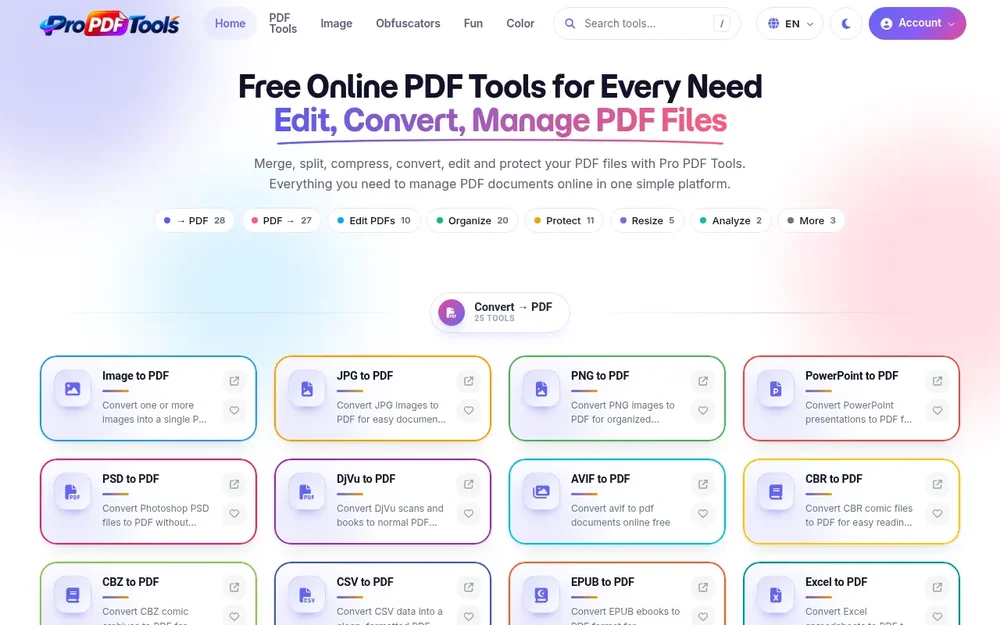
Pro PDF Tools is an online suite for working with PDF files, bringing conversion, editing, organization, compression, signing, and protection tools together in one place. Its homepage presents the service as free online PDF tools for handling common document needs, and says no signup is required. Rather than relying on a single general-purpose operation, people can choose from a catalog of focused tools for specific tasks, from turning an image into a PDF to removing pages from an existing file. This makes the product relevant when a document needs a format change, a layout adjustment, or a small structural edit before sharing or printing. The tools are grouped into task areas such as converting to or from PDF, editing, organizing, protecting, resizing, and analyzing, giving visitors a way to browse by the kind of work they need to do.
Convert documents to and from PDF
Conversion is a central part of the platform. Pro PDF Tools lists converters for images and formats such as JPG, PNG, SVG, and AVIF, as well as office and data files including Word, PowerPoint, Excel, CSV, JSON, and XML. It also offers ebook, web, and other file conversions, with individual tool pages describing the relevant input and output. For example, image-to-PDF tools turn one or more images into a PDF, while HTML-to-PDF is presented as a way to save web pages as documents. In the reverse direction, PDF converters create outputs such as Word documents, spreadsheets, image files, text, HTML, and structured data formats. The available options also include specialized conversions, such as PDF to EPUB, PDF to CSV, and PDF to PDF/A. A practical approach is to select the specific conversion that matches the source file and intended destination, then review the resulting file for layout or content that matters to your use case.
Edit and assemble PDF content
For direct changes to a PDF, the catalog includes a PDF Editor described as supporting text, images, pages, and annotations, alongside an Advanced PDF Editor for modifying a document. Other focused tools address particular edits: users can insert images, change text color, adjust margins, crop pages, add a blank page, or work with embedded attachments. The Build Custom PDF tool combines text, images, and pages from different sources, while Merge PDFs combines multiple PDF files into one. These options cover both localized changes and document assembly. For instance, someone preparing a packet could use a merge tool to bring separate PDFs together, or use page-level tools to remove or rearrange content first. Those are possible workflows based on the listed functions, not a promise that every operation is combined in one editor. Choosing the narrow tool that corresponds to the change can help keep the task clear, especially when the goal is a small adjustment rather than a full document rebuild.
Organize pages for reading, sharing, or printing
Pro PDF Tools includes several ways to manage the structure and presentation of PDF pages. Organize PDFs is listed for reordering, deleting, or rotating pages; Split PDF separates a large file by page range or bookmark section; and Extract PDF Pages creates a new document from selected pages. Separate utilities can remove blank pages, reverse page order, find duplicate or near-identical pages, and add page labels. These functions are useful when a document contains more material than a recipient needs, when pages are out of sequence, or when a long file needs to be divided into smaller parts. The platform also lists print-oriented tools, including N-Up layouts, booklet creation, poster tiling, and imposition. Such options let users prepare page arrangements for particular print purposes. Because the result depends on the source PDF and chosen operation, it makes sense to check page order, orientation, and selection before sharing or printing the processed document.
Adjust size and protect documents
The resize and protection sections address file handling and document controls. Compress PDF is described as reducing file size while keeping good quality, and Change PDF DPI provides control over resolution and file size. Other options include resizing page dimensions, cropping margins, and trimming excess whitespace. For sensitive or controlled documents, the catalog lists password protection and restrictions, redaction of text or images, signing, watermarking, stamps, overlays, and metadata tools. Users can add document metadata or remove hidden metadata; a sanitizer is also listed for removing hidden data and sensitive information. These capabilities are distinct: for example, a visible watermark marks page content, while metadata tools handle information associated with the file. The product page does not describe a universal security guarantee, so users should choose the relevant operation and verify the processed document meets their requirements. Signing, redaction, and password-related tasks may have particular consequences, so reviewing the output is sensible before distributing it.
The catalog structure is designed around outcomes: convert a file, edit content, organize pages, protect a document, resize it, or analyze it. Some tools handle broadly familiar tasks, such as merging, splitting, compressing, or signing PDFs; others serve more specific needs, including converting tables, extracting images, comparing two PDFs visually, or preparing print layouts. This breadth makes Pro PDF Tools useful as a collection of individual utilities rather than a single workflow that must be followed in a fixed order. Start by identifying the desired output—for example, a smaller PDF, a Word copy, selected pages, or a protected document—and choose the matching tool. Then inspect the output for page layout, completeness, and any content that should remain unchanged. The site lists tools online and states that signup is not required, while its homepage describes the tools as free. This provides a straightforward starting point for common PDF work, with the specific converter or editor selected to fit the task.