Watermark Remover AI for image cleanup
Watermark Remover AI is an online AI Watermark Remover for cleaning unwanted text and logo overlays from still images you own or have permission to edit. Upload a photo, start the removal, and the service uses the surrounding scene, texture, and lighting to reconstruct the covered area. You can compare the edited image with the original and download the result. The tool is intended for situations such as cleaning a date stamp from your own photo, removing an outdated promotional overlay from a product image, or taking a draft label off a flattened design when its editable project is unavailable. It is not a way to recover the exact pixels hidden by a mark: the replacement is generated from nearby image information, and results can change fine details. Use a clean original where possible and check the finished image before relying on it.
How the AI watermark remover works
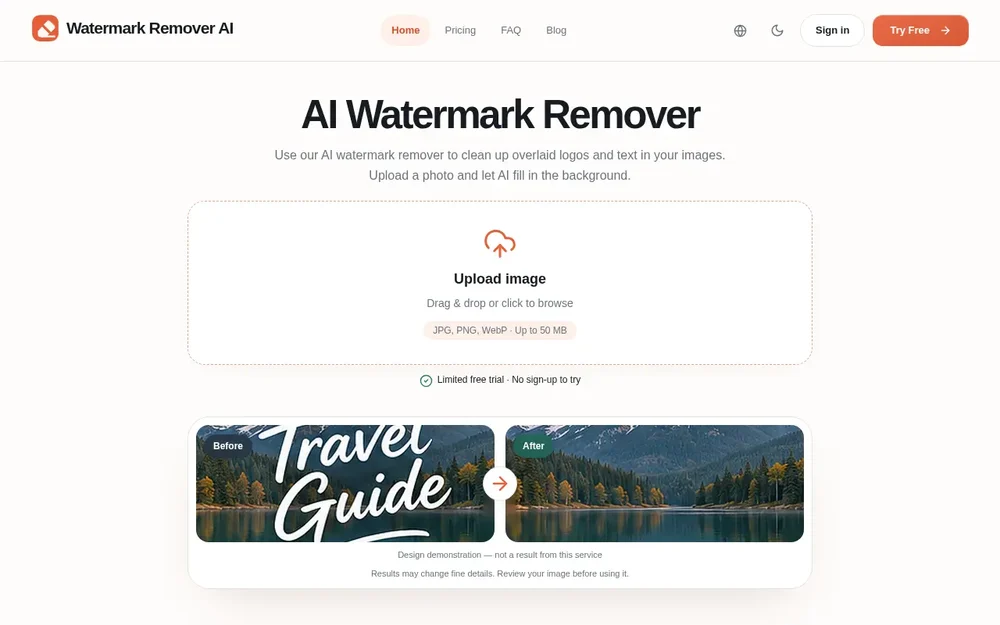
The service looks for superimposed marks without requiring you to draw a selection first. After you submit an image and choose Remove watermark, its AI processes the picture and fills the marked area using the surrounding visual context. This background reconstruction is the central editing step: the result aims to blend with nearby scene content rather than simply placing a flat patch over text or a logo. Once processing is complete, compare the output with the source and save the edited image if it meets your needs. The site shows examples involving text across a coastal landscape, an opaque logo on a ceramic product photo, and a repeated translucent pattern on an interior image. It also cautions that outcomes vary with the source image and mark. The demonstration at the top of the page is an illustration; the comparison gallery is identified as actual model output, with example source images generated for demonstration purposes.
A simple image removal workflow
The workflow has three steps. First, upload one JPG, PNG, or WebP image, up to 50 MB. Choosing the best available original rather than a screenshot or repeatedly saved copy gives you a clearer basis for both processing and review. Second, start watermark removal. The AI reconstructs the area using the image around it; there is no manual selection step described on the page. Third, compare the result with the original and download the edited image. Keep an untouched copy so you can inspect what changed. The preview may crop images to fit its cards, so download the file to review the whole frame. The tool processes still images one at a time: it does not remove marks from video or handle batches of files. If you have an editable source project, hiding a label layer and exporting again may preserve more detail than editing a flattened image.
Images and situations it can help with
Watermark Remover AI presents personal photos, product imagery, and design drafts as potential uses, with the important condition that you own the image or have permission to edit it. For your own travel photo, a date stamp or caption over a relatively simple area such as sky or an empty wall may be easier to repair than a mark crossing a face, foliage, or detailed architecture. For a product photo you own, an outdated promotional overlay may be removable, but check product edges, colors, and packaging text before publishing. For a presentation or design draft, removing a label from a flattened image can be an option when the source file is unavailable; if the original project remains accessible, editing its layer is preferable. For licensed assets, use the clean version supplied by the creator when available. These examples are guidance, not a guarantee that every mark or image will produce a publishable result.
Reviewing the result and its limits
A watermark hides information, so the AI cannot guarantee recovery of the original scene or pixels. Large solid marks can conceal important details, and repeated or transparent patterns may cover much of an image. The model may redraw what is underneath; text crossing a boundary can leave faint outlines, while textures and edges may look blurred, softened, or uneven. The service says its model is instructed to preserve real-world text such as signs and product labels, but automatic editing can still change that text. Inspect the entire frame, not just the center, and zoom in on the repaired area, subject edges, faces, product details, and any words that matter. Then check the image at the size and in the layout where you plan to use it. If the result alters essential details, return to the source file or make a manual correction instead of relying on repeated AI edits.
Access, credits, and image handling
The page offers a limited free trial and says guests receive five credits per calendar month, enough for one standard edit; each standard edit uses five credits, and downloads are included. Further edits require account credits, with paid credit packs and subscriptions listed on the pricing page. The service also mentions registration rewards and daily check-ins. Check its current pricing page for the applicable options before you use it. Processing is not performed solely on your device: uploaded images go to cloud storage and an AI provider for processing. Read the privacy policy before submitting sensitive material. Taken together, the service is suited to a straightforward, single-image cleanup workflow when an overlay is unwanted and you can review the output carefully. Its supported formats, file-size limit, credit use, and lack of batch or video processing are useful considerations when deciding whether it fits a particular editing task.