
What is Bytesweep?
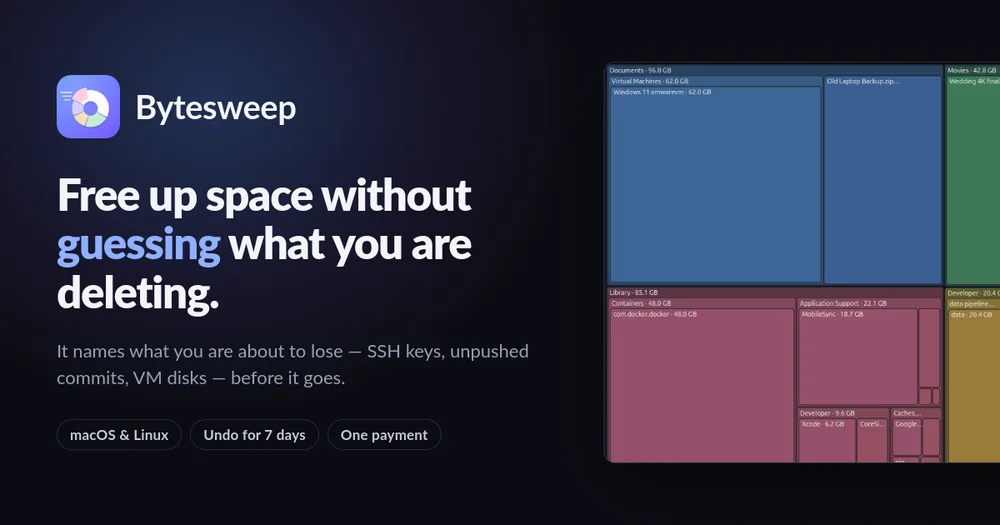
Bytesweep is a disk space analyzer and cleaner for macOS and Linux that goes beyond pretty charts. It scans your drive in seconds, shows exactly where the storage went — Docker, Xcode, local AI models, photos, caches — and warns you before you remove anything you cannot get back.
Unlike typical cleaners that sort files into "junk" and "everything else", Bytesweep sorts them by what happens if you are wrong:
- Refused — the OS, your home folder, volume roots, and its own restore points. There is no button.
- Irreplaceable — SSH keys, unpushed git history, VM disks, photo libraries, open databases. Named individually, with the paths that triggered them.
- Yours — documents, source code, installed apps. Called out by name.
- Rebuilt automatically — caches and dependency folders, said out loud in green.
Key Features
- 8 visualization views: Treemap, Folders, Sunburst, Flame, Bubbles, Mind Map, Top Sizes, Age Map — all clickable down to the file.
- Safe Sweep: one-click cleanup of provably safe items (caches, logs, build outputs, trash, old installers).
- Undo & Restore: every sweep goes to a restore point on the same disk, undoable for 7 days.
- Developer-focused cleanups: Xcode DerivedData, iOS simulators, Docker.raw, node_modules, package caches (Homebrew, pip, npm, cargo, go), and AI model stores (Ollama, LM Studio, Hugging Face, torch, GPT4All, Whisper).
- System Data demystified: Time Machine local snapshots, iPhone backups, Mail attachments, app leftovers, iCloud online-only files.
- Duplicates & similar photos: byte-for-byte duplicates plus perceptual near-duplicates (burst shots, resized exports, HEIC/JPEG pairs).
- Full uninstaller: removes the app bundle, support files, caches, and launch agents.
- Privacy-first: no accounts, no telemetry, no analytics. The only network call is licence activation, and it works offline for 14 days.
- Cross-platform: one licence covers 3 computers, any mix of macOS and Linux. Windows is coming.
Use Cases
- Developers running out of space due to Xcode, Docker, node_modules, and local AI models.
- Mac users puzzled by the mysterious "System Data" category in Storage settings.
- Anyone who wants to free up disk space without risking deletion of important files.
Pricing
One-time payment of $5 (regular $20) for 3 computers. No subscription. 14-day free trial with no card required. 14-day money-back guarantee.

