

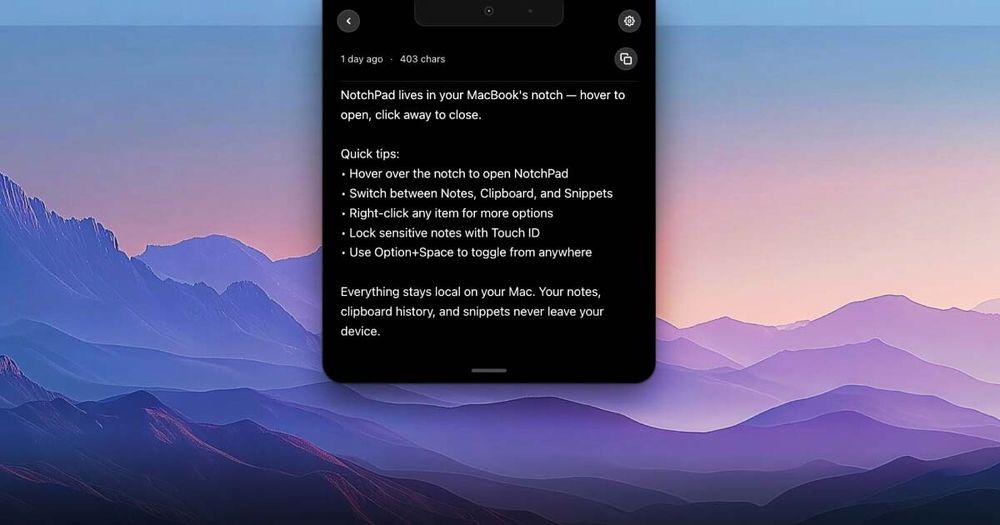
NotchPad is a productivity application designed specifically for macOS that repurposes the MacBook's notch area into a functional workspace. This innovative tool combines three essential productivity features into one seamless interface:
Key Features
- Notepad Functionality: A rich text editor that lives in your MacBook's notch, supporting bold, italic, lists, and text formatting. Users can pin important notes, search instantly, and capture thoughts without interrupting their workflow.
- Clipboard Manager: Automatically saves everything you copy, providing searchable history with pinning and merging capabilities. Your full clipboard history remains accessible with a simple hover gesture.
- Snippets Library: Stores reusable text and code snippets for quick access, ideal for code blocks, email templates, canned responses, and frequently used text.
- Security Features: Automatically encrypts sensitive data (passwords from 1Password, Bitwarden, and Apple Passwords) using AES-256-GCM encryption. Touch ID authentication ensures secure access to protected content.
Technical Specifications
- Platform: macOS 15 Sequoia or later
- Data Storage: All data stored locally on your Mac (no cloud storage or server transmission)
- License Model: One-time purchase ($9.99) with 15-day free trial
- License Coverage: Up to 3 Macs per license
- Refund Policy: 14-day money-back guarantee
Target Users
- MacBook users with notch-equipped models
- Developers needing quick access to code snippets
- Professionals who frequently copy and paste between applications
- Security-conscious users who handle sensitive information
- Anyone seeking to maximize their MacBook's hardware features for productivity
Unique Selling Points
- Hardware Integration: Leverages the MacBook notch as a functional UI element rather than just a camera housing
- Privacy-First Design: All data remains on-device with military-grade encryption for sensitive content
- Workflow Efficiency: Provides instant access to notes, clipboard history, and snippets without switching applications
- One-Time Purchase: No subscription model - pay once and own the software permanently


