What Paper Animator does
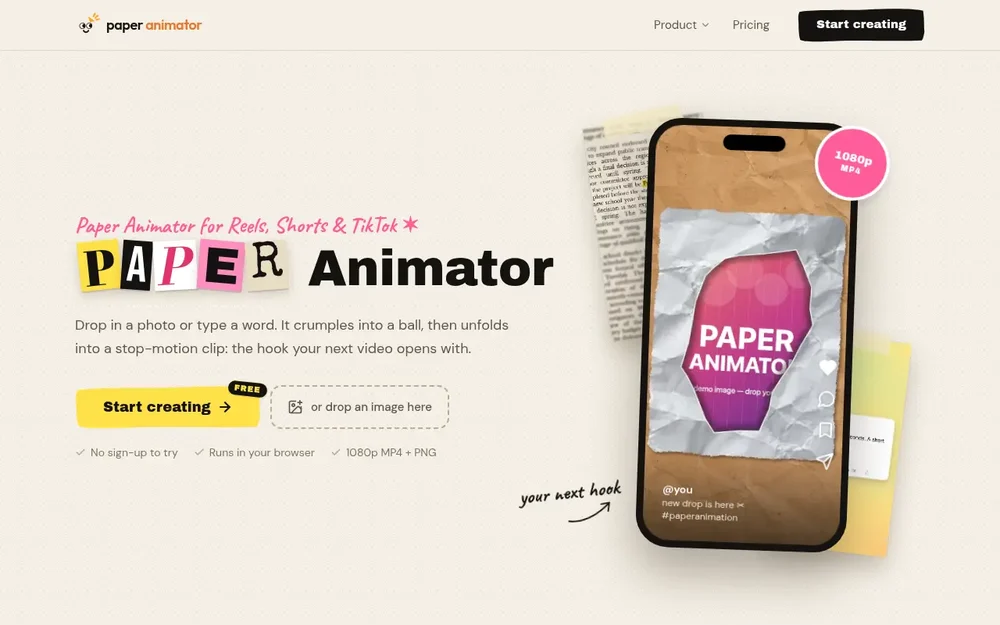
Paper Animator is a browser-based stop-motion paper animation maker for creating short visual clips from a photo or typed text. Rather than building an animation frame by frame, you provide an image or phrase and style the paper treatment in the editor. A photo can appear as a torn-edge sticker that crumples and unfolds; typed words can become cut-out letters that assemble one by one. The result is designed for use as a video opener, reveal, overlay, or standalone sticker. The site highlights creators making content for TikTok, Instagram Reels, and YouTube Shorts, while its square and widescreen formats also suit other placements. You can try the editor without signing up, and the work renders in your browser. The main workflow is direct: choose an input, adjust its paper appearance and background, preview the motion, then export a video or image for use in a larger edit.
Turn a photo into a paper animation
For an image-based animation, upload a JPG, PNG, or WebP. Paper Animator presents the picture as a white-bordered, torn-edge sticker on a selected background. The paper-fold effect begins with a crumpled ball and opens to reveal the image, giving the movement a stop-motion character rather than a smooth, conventional transition. The editor provides controls for the paper edge style and thickness, shadow, picture size, and background. Available backgrounds described on the site include kraft paper, parchment, a solid colour, and green screen. These choices let you adapt the image treatment to a product reveal, cover-art opener, or another short visual beat without recreating the paper effect manually. Decorative stickers are also available. The image workflow is useful when the photograph itself should remain the focus: the animated edge and unfolding action supply the reveal, while the selected surface and shadow help establish the look.
Animate words and use text templates
Paper Animator also turns typed words or phrases into paper-style text. In the cut-out-letter treatment, individual letters unfold in sequence, creating a collage-like way to introduce a title, quote, or punchline. The site lists several text templates with different visual approaches. Newspaper Highlight emphasizes one word among changing clippings; Tweet Cards place a highlighted word in changing post designs; Magazine Letters assemble a message from mismatched type; and Press Coverage places a keyword among varied headline styles. Text Match Cut keeps a phrase in place while the surrounding text changes. These are distinct treatments for bringing a short message into a clip, rather than a general-purpose text editor. A practical approach is to choose a concise phrase suited to the template, preview how it reads as it changes, and adjust the wording if necessary. Text templates also provide a 4:5 format alongside the other aspect-ratio options.
Style the look and preview the motion
The editor gives you visual controls before export, including edge appearance and thickness, shadow, image size, and background. For a photo fold, you can add decorative stickers and toggle the unfold on or off. The preview helps you check how the paper treatment reads with your chosen content and framing before you download a file. The source describes the movement as stop-motion, with the fold playing at roughly eight poses per second. That cadence contributes to the handmade feel: the torn edge shifts slightly between poses instead of behaving like a perfectly static mask. When choosing settings, consider how the animation will be used. A more visible edge and shadow may help a sticker stand out over footage, while a quieter background can keep attention on a photo or word. These are styling choices within the tool; the final appearance depends on the input and settings you select.
Export clips and stickers for editing
When the animation is ready, Paper Animator offers MP4 video and transparent PNG output. MP4 exports can include the described paper-tick sound or be silent. A transparent PNG of the finished sticker can be used separately in a thumbnail, collage, or overlay, without exporting the animated sequence as the only option. Video framing includes 9:16, 1:1, and 16:9, with 720p or 1080p resolution; text templates additionally offer 4:5. Vertical framing is a natural choice for Reels, Shorts, and TikTok, while square or widescreen dimensions can suit other layouts. For a green-screen composition, export the MP4 and use a chroma-key feature in an editor such as CapCut or Premiere Pro, as the site suggests. Alternatively, use the transparent PNG when a still sticker is sufficient. The exported file can then be brought into the creator’s usual editing workflow.
Where it fits in a creator’s workflow
Paper Animator is focused on paper-style visual moments, not on replacing a full video editor. A creator might make a short photo reveal for the opening of a video, animate album or product artwork, or prepare cut-out text for a quote or commentary intro. The tool can also produce a sticker asset for a thumbnail or collage. One simple workflow is to choose an image or short phrase, select a paper treatment and background, preview the result, and export the format suited to the intended placement. If the animation needs to sit over other footage, a green-screen MP4 can be keyed in an editor; if the goal is a static overlay, the transparent PNG is the more direct output. Paper Animator runs in the browser and renders on the user’s device, according to the site, so there is no application installation step and photos are not uploaded to a server. It is free to try without signing up; check the current pricing and export terms for details beyond trying the product.