VidSyndicate for social publishing
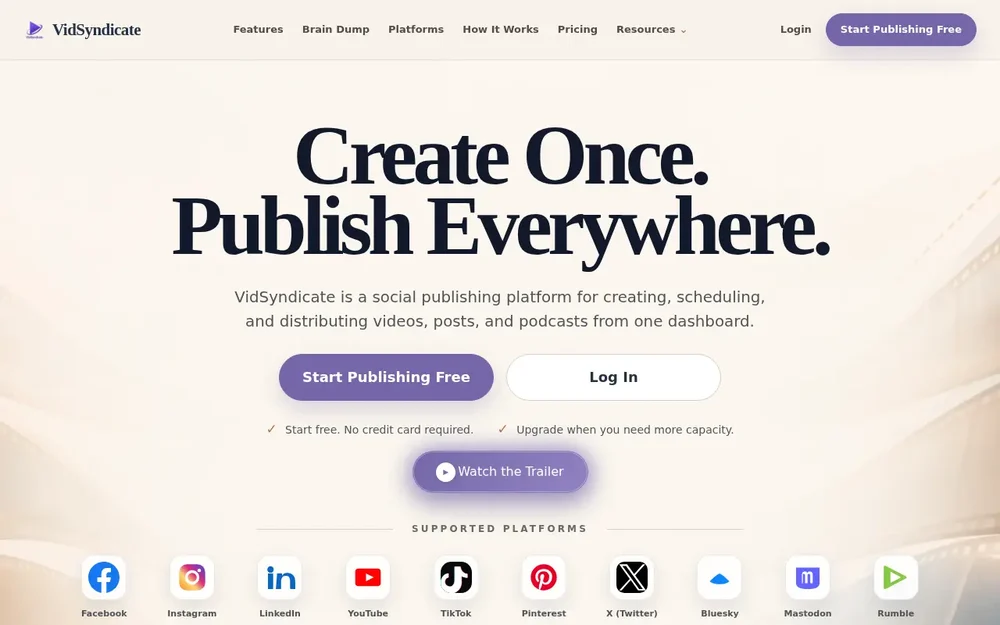
VidSyndicate is a social publishing platform for creating, scheduling, and distributing videos, posts, and podcasts from one dashboard. It brings connected channels, content preparation, and a publishing calendar into one workspace, so creators can manage releases without repeating the same manual posting steps on each service. A release can begin with a post, a video, a website page, or a podcast episode; users then choose destinations and manage publishing from the shared calendar.
The product’s central idea is to prepare content once and coordinate its distribution across supported platforms. The site lists Facebook, Instagram, LinkedIn, YouTube, TikTok, Pinterest, X (Twitter), Bluesky, Mastodon, Rumble, iHeartRadio, Spotify, and Apple Podcasts. Which destinations are relevant depends on the content and the accounts connected. Rather than assuming every piece belongs everywhere, VidSyndicate presents channel selection and review as parts of the workflow.
From connected channels to scheduled releases
The basic workflow has three stages: connect accounts, create or upload content, then schedule and publish. Users authorize the social and publishing accounts they already use, choose a starting point for the content, and manage release timing and destinations from one calendar. The calendar brings drafts, scheduled releases, and published content together, giving users a shared view of what is in progress and what has gone out.
For a video release, a practical way to use the workspace is to connect the intended channels, upload the video, prepare the information and versions needed for those destinations, and review the release plan before scheduling. For a post, the same general pattern applies: choose channels, check the content for each destination, and coordinate publication. These are workflows supported by the product’s stated features, not a guarantee that every channel offers identical publishing options. VidSyndicate emphasizes that users can review each destination and version before content goes live.
AI-assisted video publishing
VidSyndicate also describes an AI publishing workflow using MCP. A compatible AI assistant can be connected to the platform to manage video publishing through conversation. The listed tasks include uploading videos through VidSyndicate’s secure uploader, generating titles and descriptions, creating hashtags and other platform-specific content, selecting connected channels, and scheduling posts. The conversational workflow is presented as an alternative way to manage publishing, alongside the dashboard and calendar.
Review remains part of this process: the site says users can approve publication before anything goes live. Its example shows a video prepared for YouTube with a title, description, tags, and privacy settings presented for review. That illustrates how the assistant-supported workflow can assemble a proposed release plan; it does not mean content is published automatically without user confirmation. The source describes a compatible assistant rather than naming a required provider, so users should check the product’s AI publishing instructions for connection details and current compatibility.
Coordinate content in one publishing calendar
The calendar is useful for planning a sequence of releases as well as keeping track of individual posts. Drafts, scheduled content, and published items can be viewed together, while connected channels and the shared workspace keep the publishing process organized in one place. This can help creators who have multiple destinations distinguish what is ready, what is planned, and what has already been distributed without treating each platform as an entirely separate workflow.
VidSyndicate’s focus is coordination and distribution, not a claim that every channel has the same tools or requirements. A sensible workflow is to review the destination-specific version, verify the timing and selected account, and approve the release before it goes live. The site also reports combined distribution performance using published content and imported analytics from connected platforms. It explicitly describes these figures as the latest available persisted snapshots, not live real-time counts, so they are best understood as captured performance information rather than an always-current dashboard total.
Social SEO campaigns and podcasts
Beyond direct social posting, VidSyndicate offers Social SEO campaigns. Users choose website pages to promote, then prepare and schedule a campaign across connected networks. The page describes this as a way to turn a website into 30 days of social content. In practical terms, this supports planning promotional posts from selected pages rather than starting every social campaign with a blank draft. The specific pages and channels remain user-selected, and the source does not establish that the product automatically creates or publishes website content itself.
Podcast publishing is another workflow in the same workspace. VidSyndicate says users can manage audio or video episodes, maintain an RSS feed, and distribute podcast content. That makes the product relevant to creators managing more than social posts alone, especially when they want their podcast releases alongside other publishing activity. The site lists podcast destinations including iHeartRadio, Spotify, and Apple Podcasts. As with social channels, the available destinations depend on connected accounts and the publishing workflow in use; the product presents podcast management as one of its core capabilities, not as a separate audio-editing suite.
Choosing a workflow with VidSyndicate
VidSyndicate may suit creators who want a common place to coordinate videos, social posts, website-page campaigns, and podcast episodes. Its strongest fit is the operational work around publishing: connecting channels, preparing content for destinations, scheduling releases, reviewing what is queued, and checking captured distribution information. The Android app is also linked from the site, while its main overview describes a dashboard-based publishing workspace.
A free entry point is offered, and the site says paid plans add storage and capacity while keeping the same account and workspace. Listed plan limits vary by channel count and monthly posts and videos, so users who expect to publish regularly across several accounts should compare current plan details before choosing. The source also says the free account requires no credit card, but plan terms may change and should be verified on the pricing page. For a decision, consider which channels you need, whether your work centers on videos, posts, or podcast episodes, and whether you want to use the conversational AI publishing option. That keeps the choice grounded in the product’s actual workflows and your publishing volume.